How research findings shaped both lo-fi and hi-fi prototypes, tested with real users, and validated. Now ready for full-scale development and implementation.
See the Connections ↓Every feature in the SageBook prototype traces back to a specific research finding. This page documents those connections — what I found, what I decided, and what that decision looks like in both lo-fi and hi-fi prototypes.
✓ Lo-fi prototype complete • ✓ Hi-fi prototype complete • ✓ Usability testing done
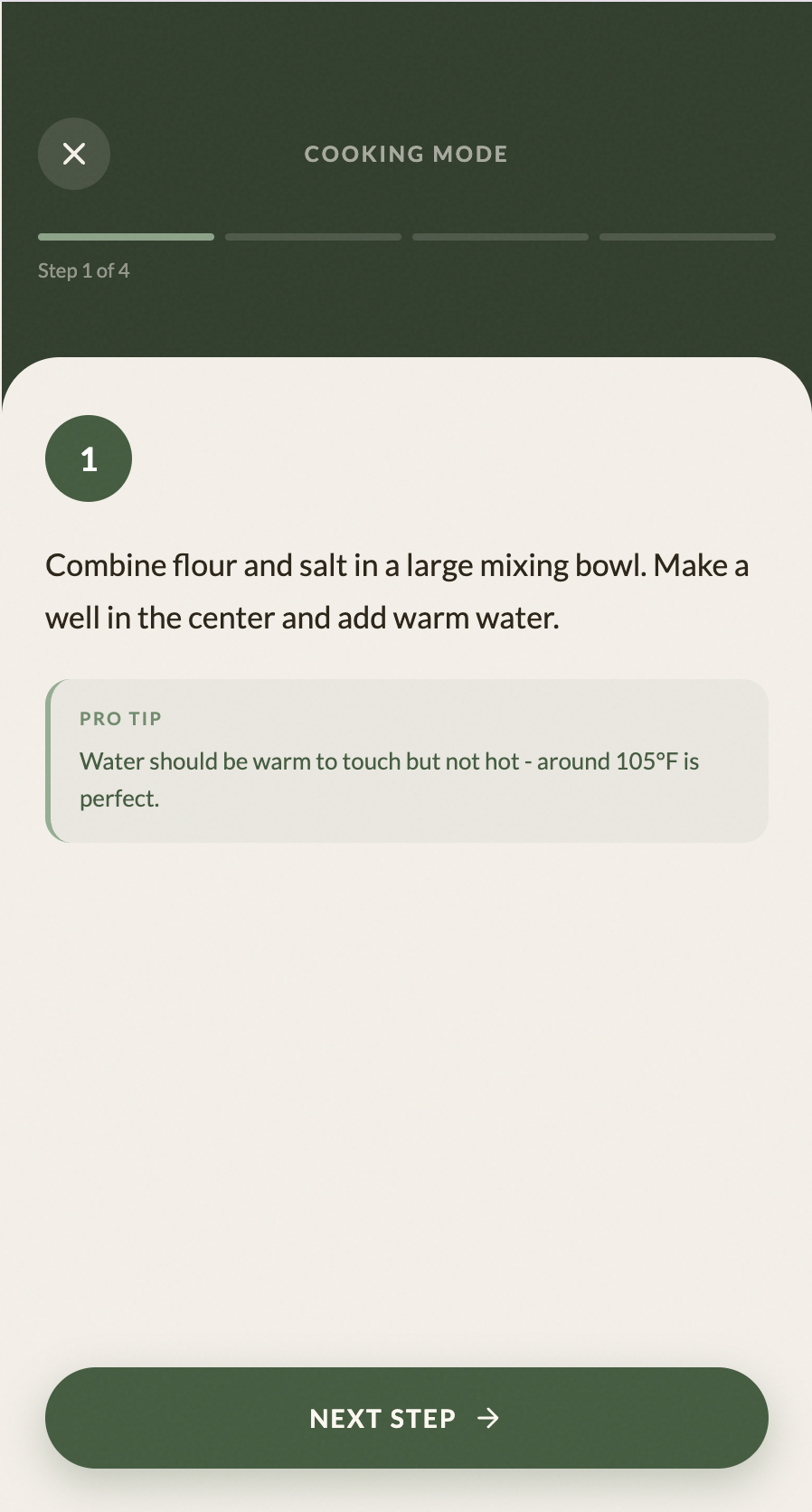
Surveys showed that 60% of new cooks abandon recipes mid-way — not because they lack skill, but because they lose track of where they are, feel rushed, or hit a step they don't understand. The standard recipe format (a wall of text you have to constantly scroll back through) puts all the cognitive load on the user at the worst possible moment: with hot pans and a timer going.
Design a step-by-step cooking mode that shows only one instruction at a time on a full screen. Ingredients surface exactly when needed for that step — not as a giant upfront list. Timing cues, quantities, and technique tips live right where the user's hands are. No scrolling, no losing your place, no cognitive overhead mid-cook.
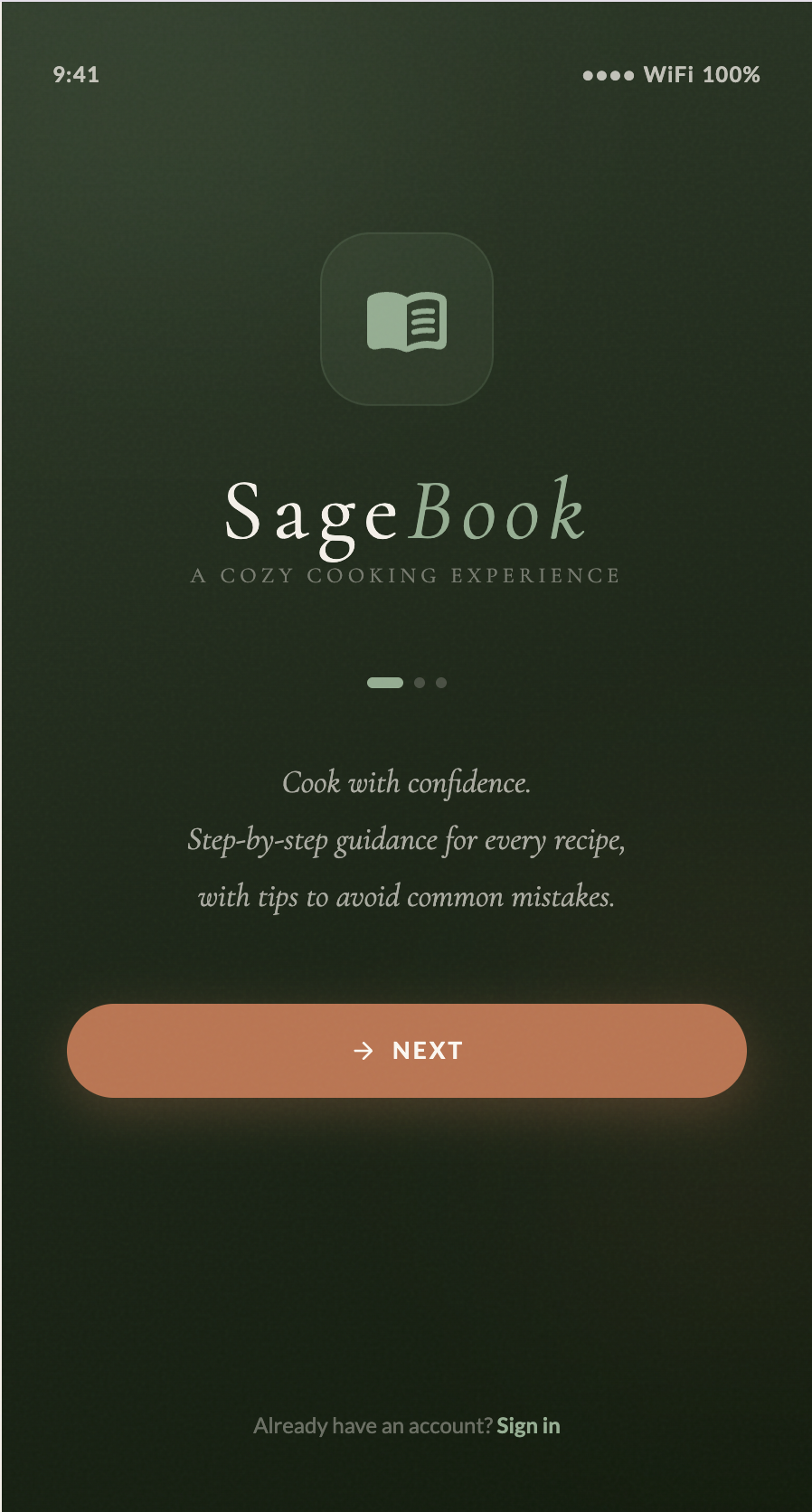
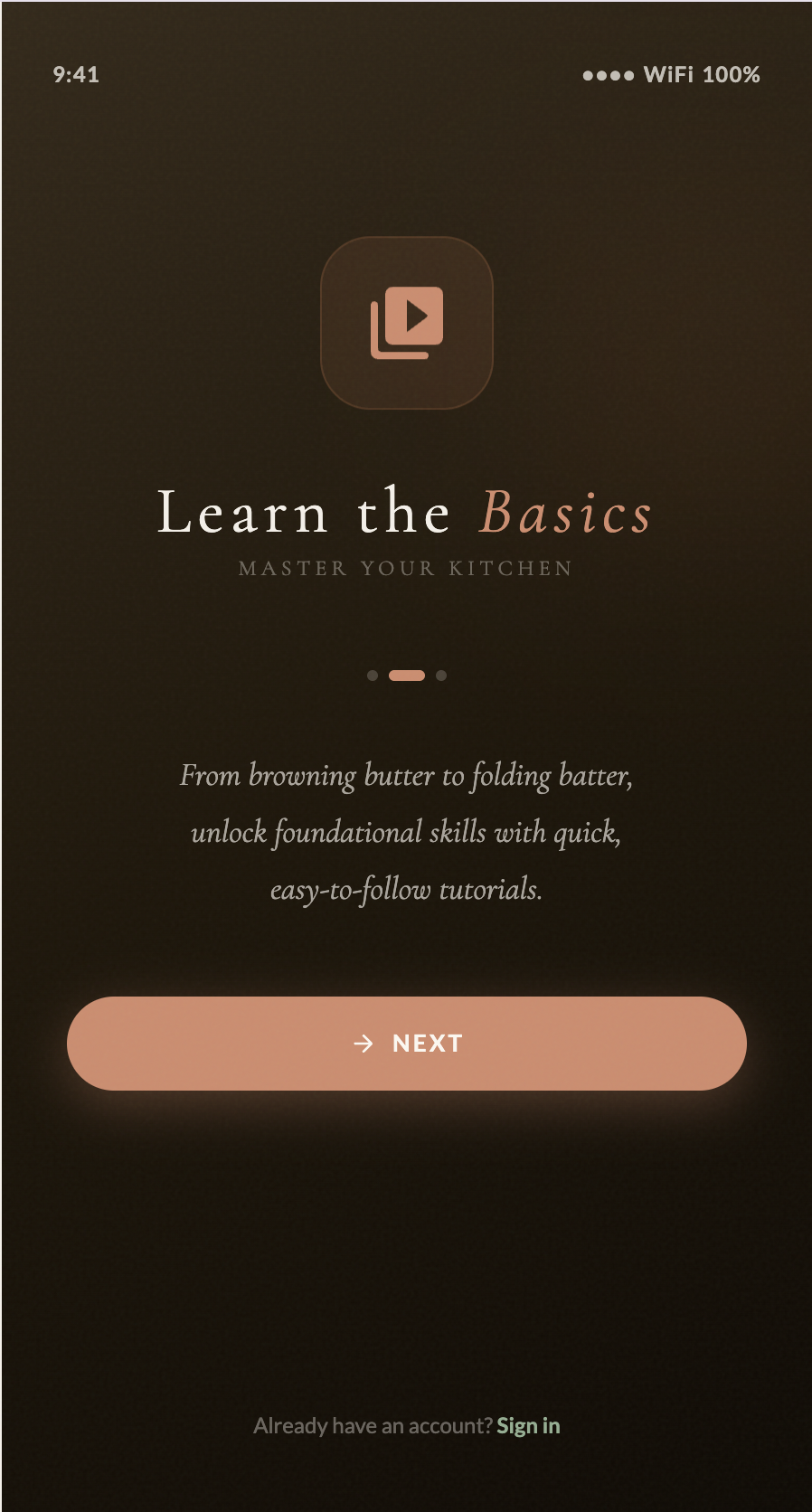
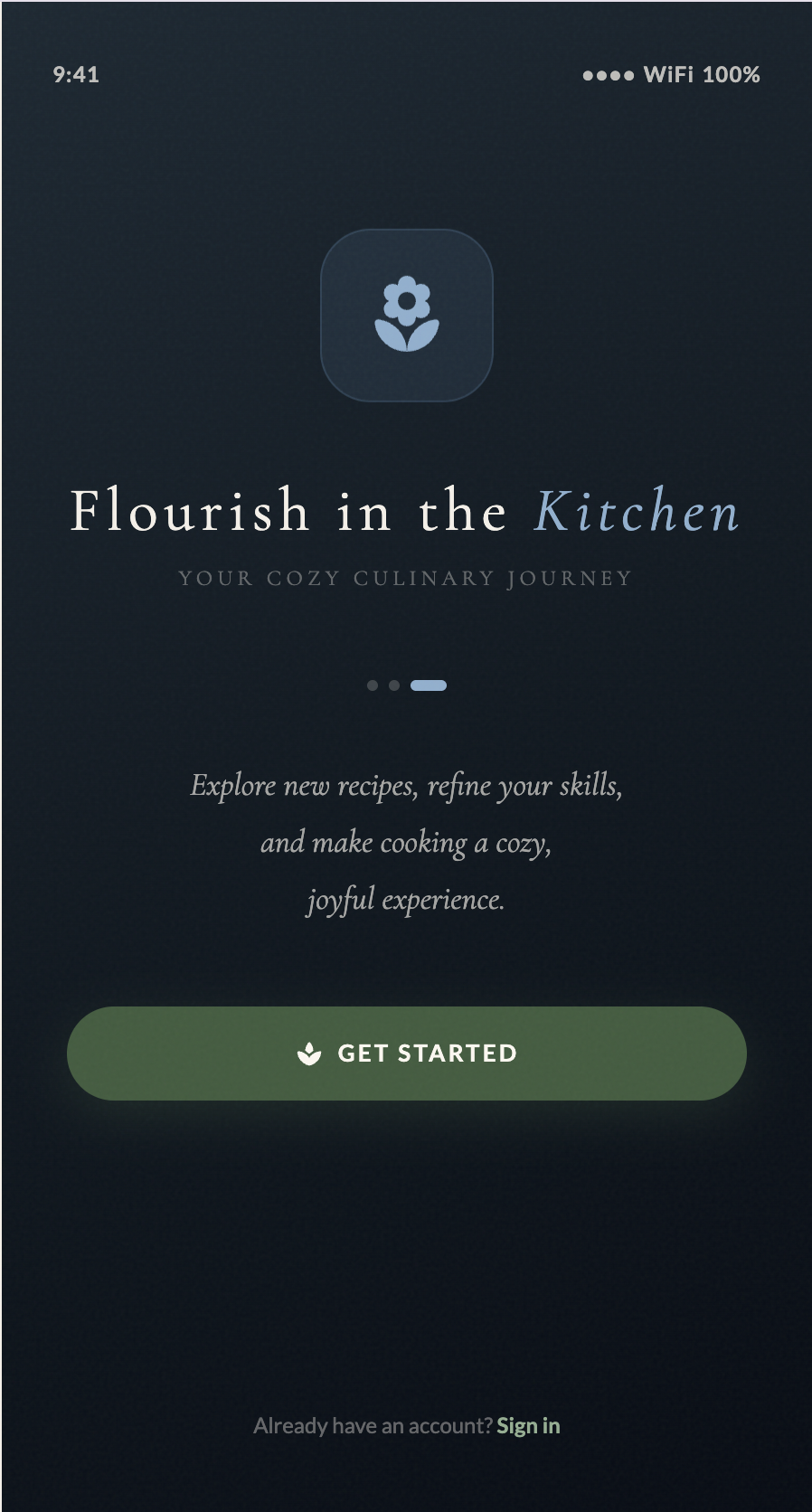
Personas revealed that users don't arrive at a cooking app with the same intention or emotional state. Annie needed to be eased in with reassurance. Carlos wanted to understand the "why" behind techniques. Tom needed dinner on the table in 20 minutes with zero friction. A generic home feed served none of them well — it either overwhelmed beginners or wasted the time of experienced cooks in a hurry.
Open the app with three explicit value propositions before sign-up: "Cook with SageBook" (step-by-step guidance), "Learn the Basics" (foundational skill-building), and "Flourish in the Kitchen" (exploration and experimentation). This sets expectations upfront so users self-select into the experience that matches their goal — rather than arriving at a generic feed and having to figure out whether the app is even for them.
Even users who wanted to cook more were blocked by time poverty — 45% of interviewees cited it as their primary obstacle, ahead of fear of failure or lack of skills. When there are 20 minutes to feed a family, an app that opens onto an editorial homepage with featured collections and trending recipes is an immediate exit trigger. The path from "what do I cook?" to actually cooking was too long.
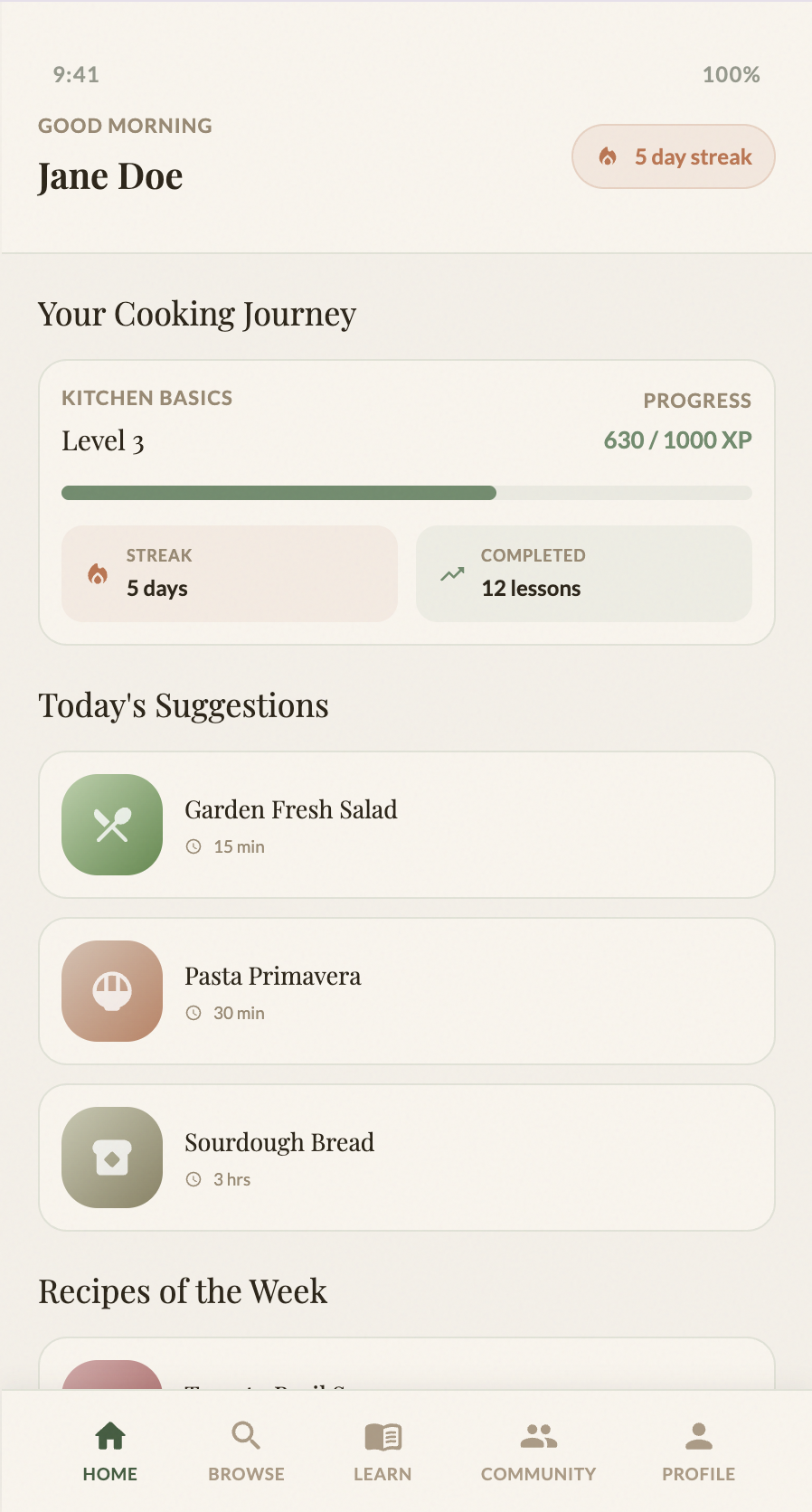
After onboarding, surface a personalised home screen based on the user's quiz answers — not a generic feed. The home screen shows curated suggestions tuned to the user's skill level, dietary preferences, available equipment, and time constraints. A user like Tom who specified "under 30 minutes, stovetop only" never has to filter through irrelevant content to find something he can actually make tonight.
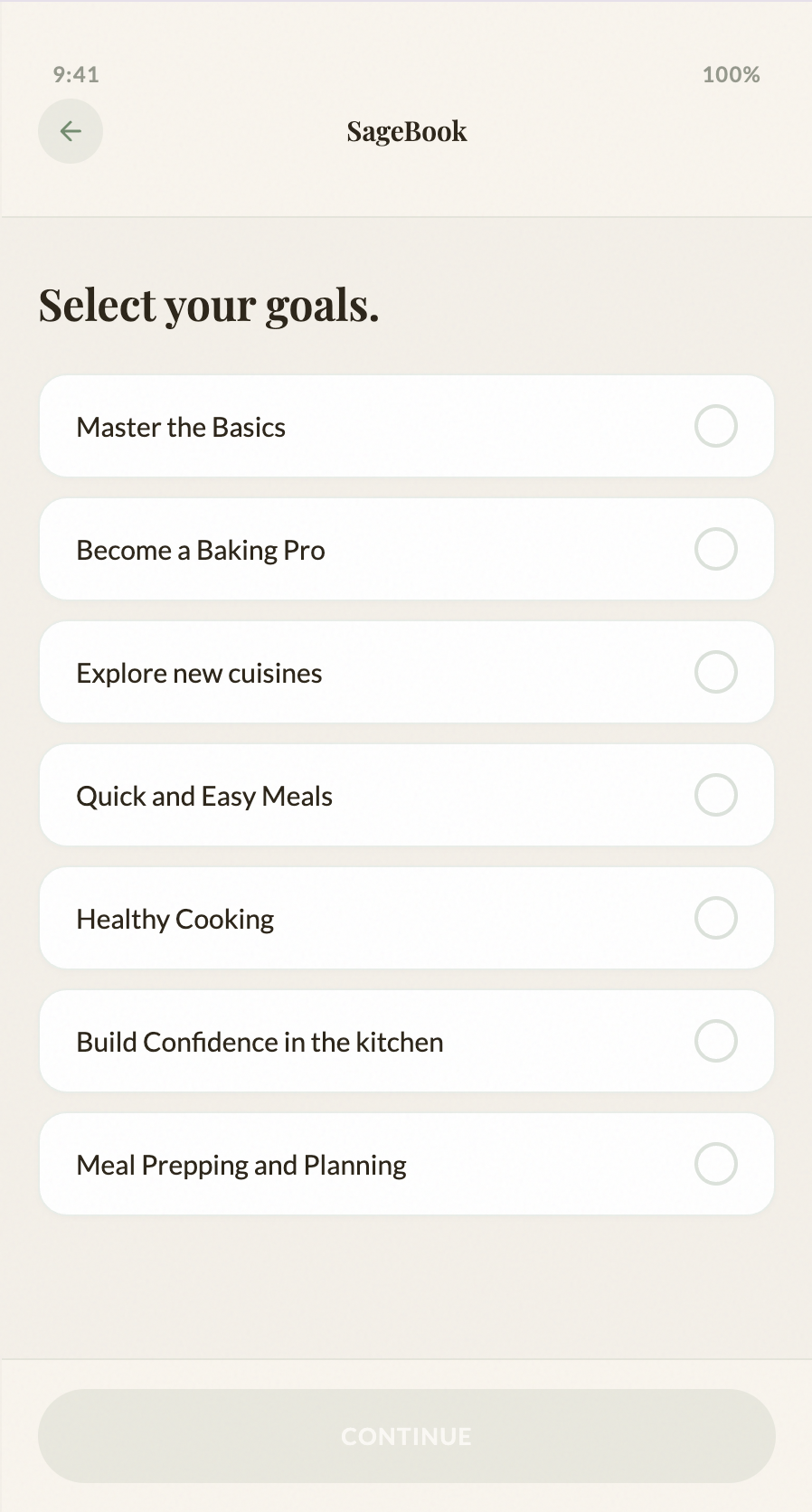
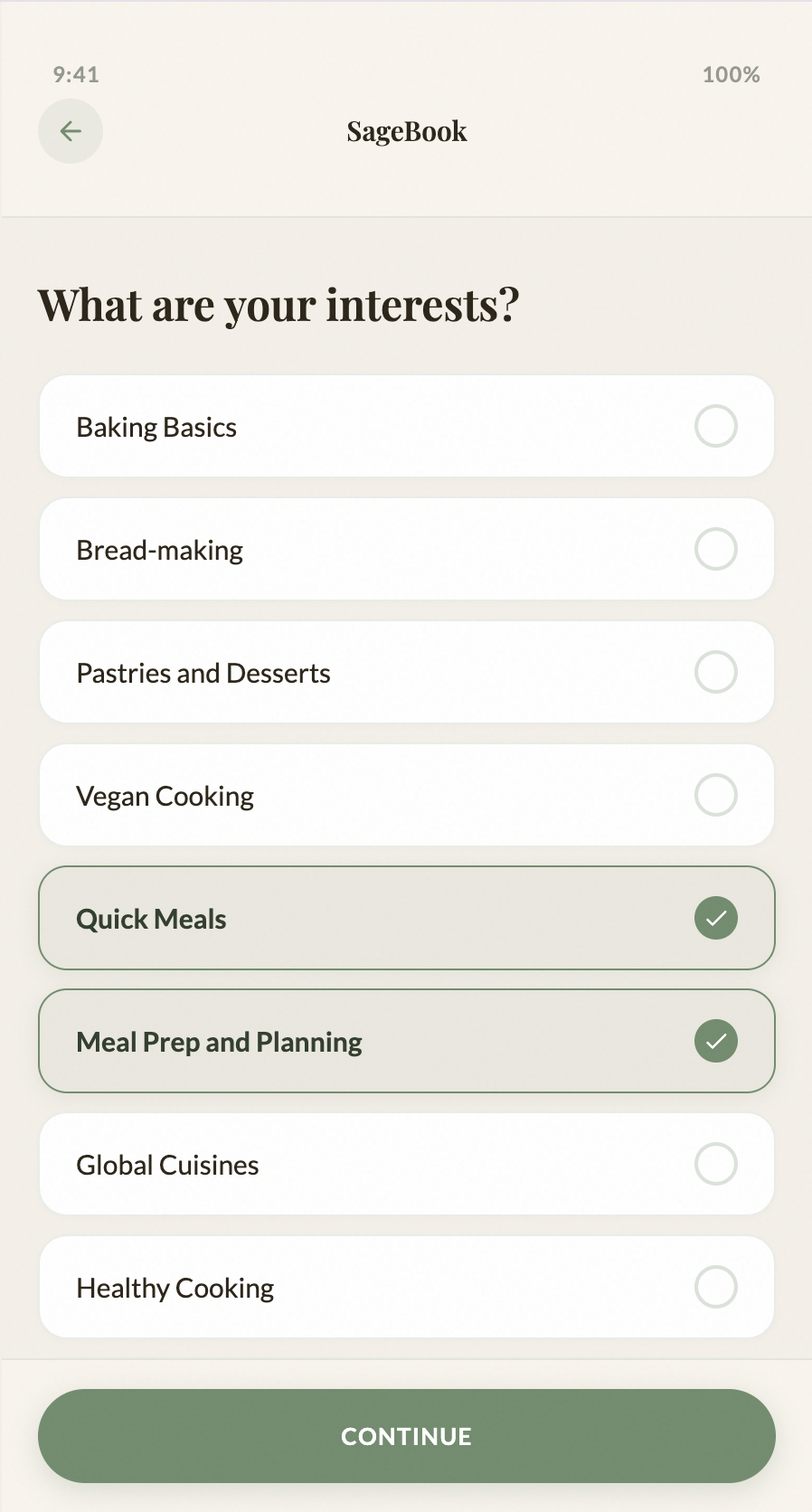
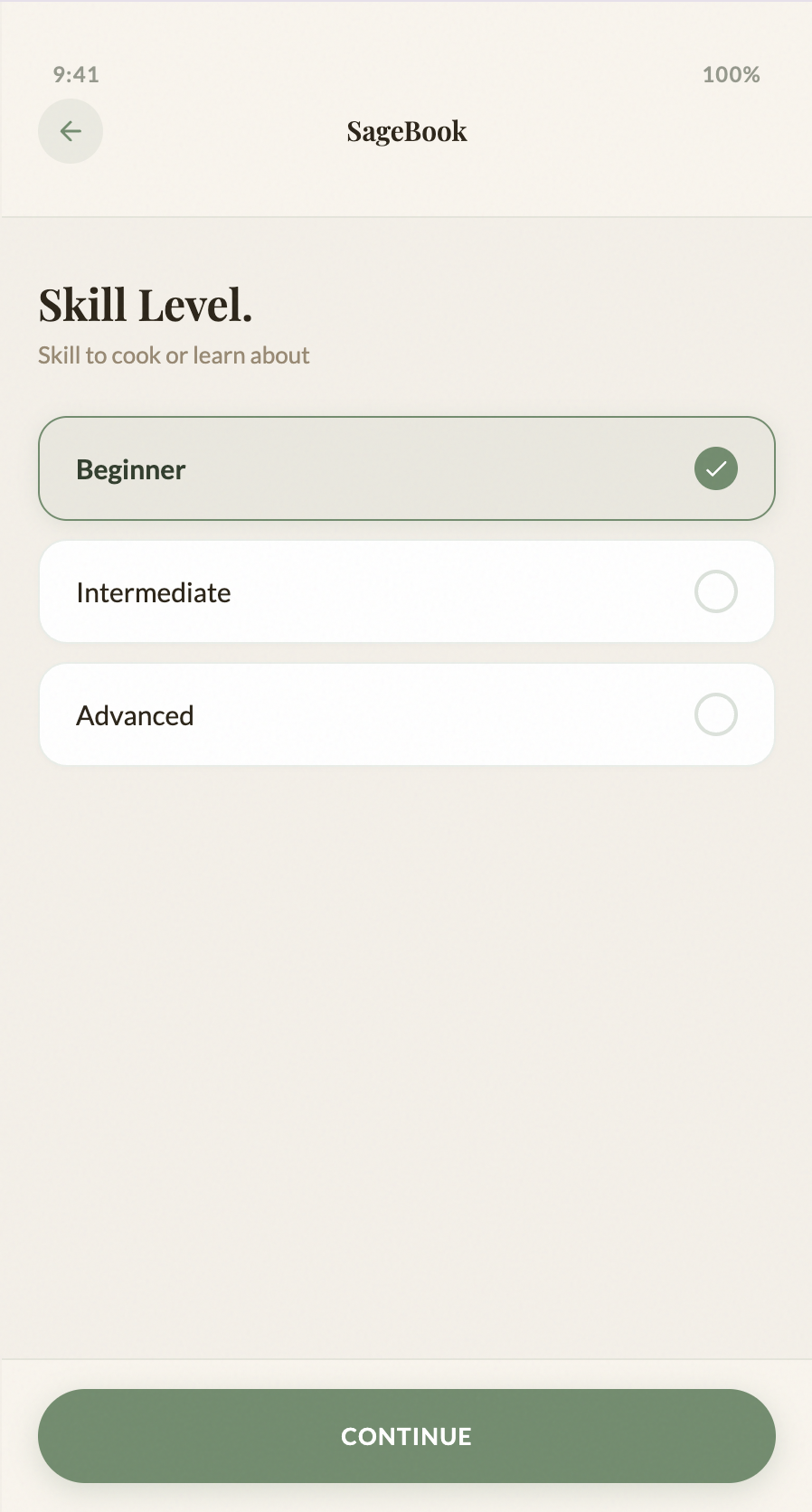
The onboarding quiz collected five dimensions of user context — skill level, goals, dietary preferences, kitchen equipment, and time commitment. This was a lot of data to capture, and early sketches had it all on one long screen. In testing the flow, it was clear that front-loading all questions at once felt like a form, not a welcome. Users needed to feel like the app was getting to know them, not processing them.
Break the quiz into separate, focused screens — one question per screen, each with clear visual options rather than dropdowns or text inputs. Skill level, goals, interests, dietary preferences, equipment, and time commitment each get their own moment. This makes the quiz feel conversational and low-effort, and the structured data it produces powers the personalisation throughout the whole app.
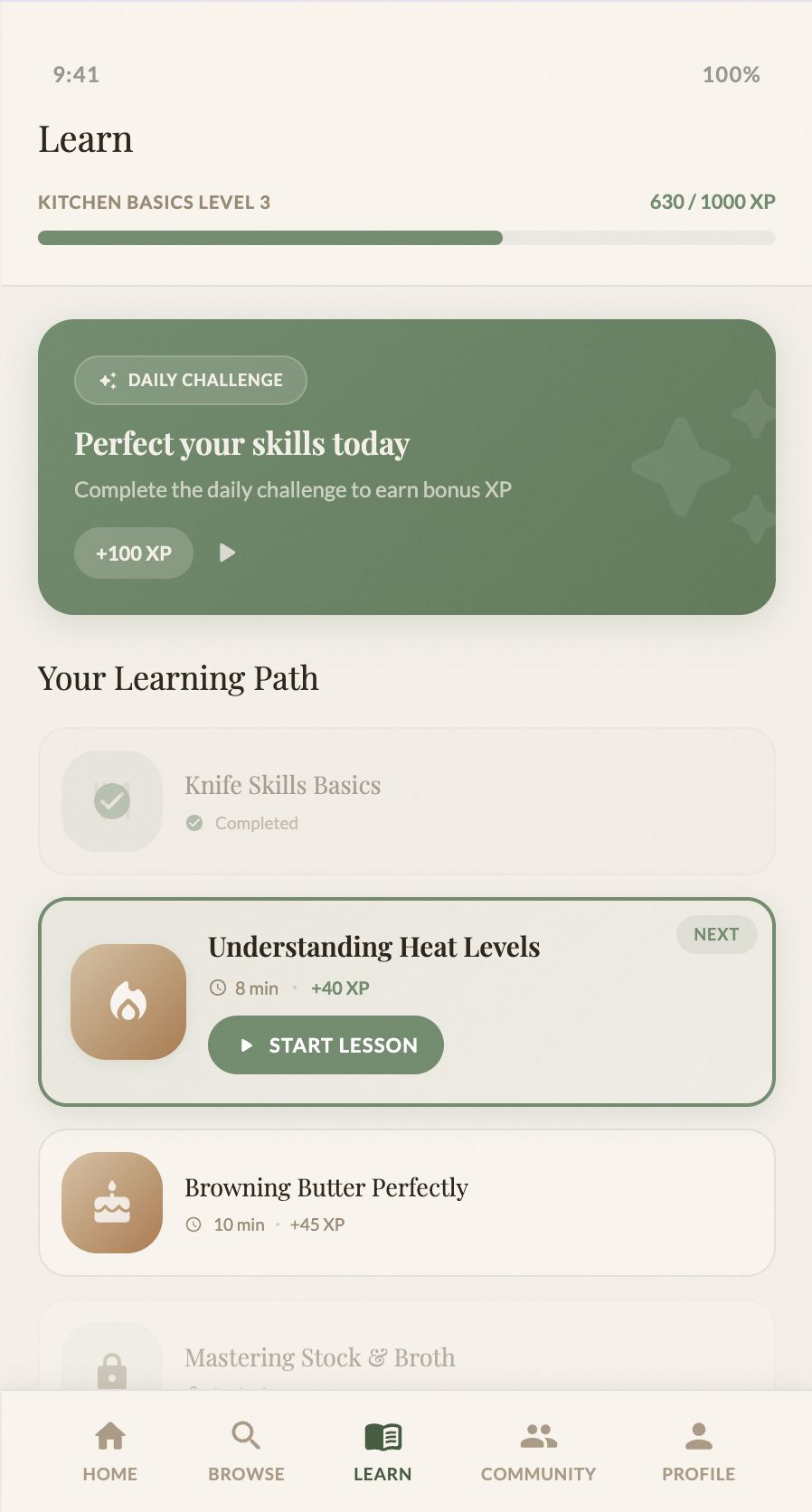
Motivation to keep cooking is fragile — especially for beginners like Annie who quit after one failed attempt. But the three personas had completely different motivational drivers: Annie needed emotional encouragement and celebration of small wins. Carlos needed intellectual depth — food science explanations that made him feel like he was levelling up as a cook. Tom needed to feel efficient, not gamified. A single generic badge system would feel hollow to all three.
Design a gamified learning system with XP, streaks, and skill-based progression — but ground it in real technique. The Learn page tracks progress through cooking methods (sautéing, steaming, baking), awards XP per lesson, and includes a daily challenge to build habit. Crucially, wrong answers in quizzes don't just say "incorrect" — they explain the reasoning ("Sautéing uses high heat and quick movements to cook food evenly"), so even failure teaches something. This serves Carlos's need for understanding while keeping Annie engaged through visible progress.
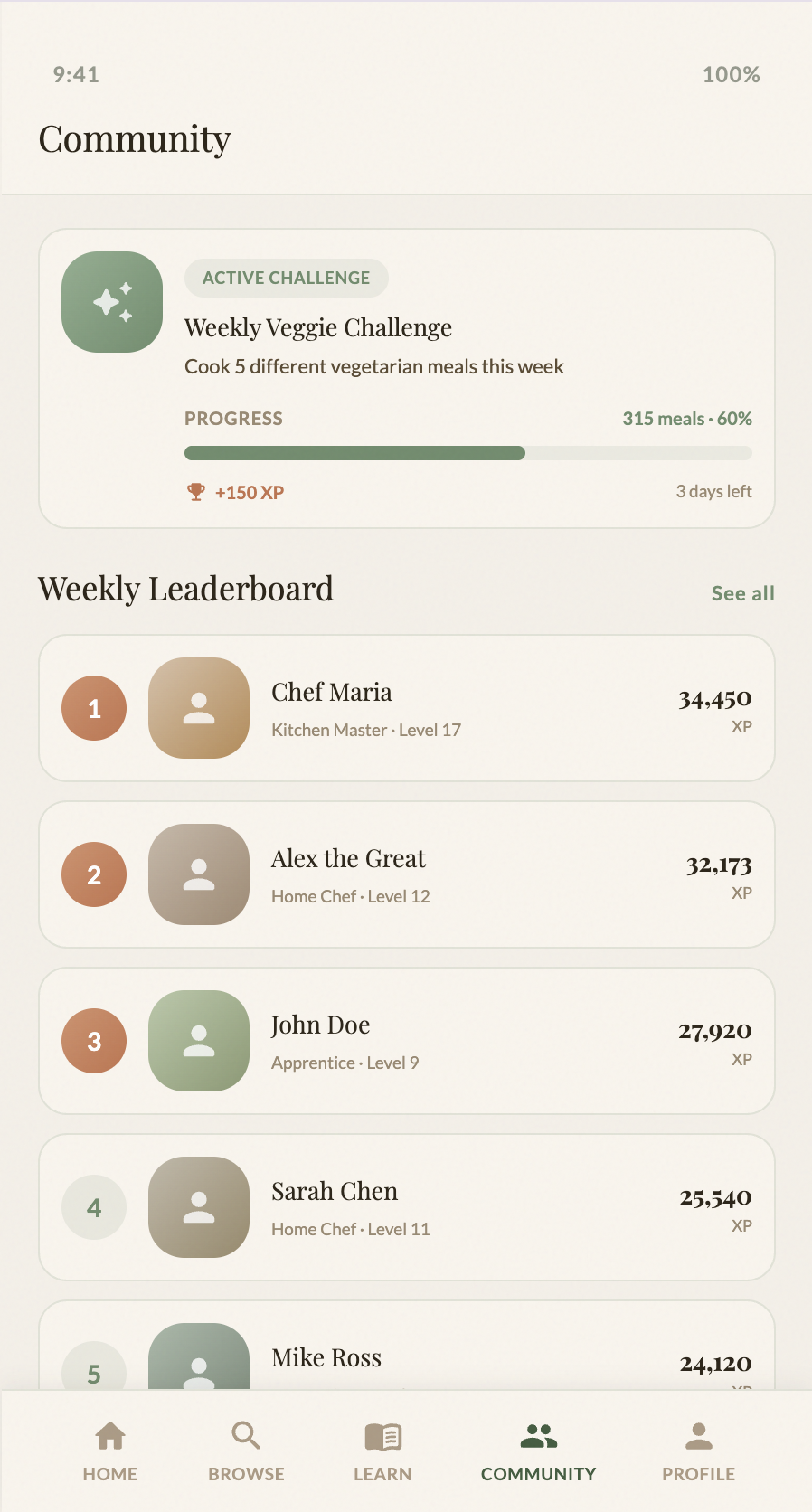
Competitive analysis showed that most cooking apps treat social features as an afterthought — a comments section bolted onto recipes. But research into habit formation shows that social accountability is one of the strongest drivers of sustained behaviour change. Users who cook alongside others, or who know their progress is visible, are more likely to keep going. The persona of Carlos specifically craved community knowledge — substitutions, tips, and variations from people who'd actually made the dish.
Build a Community page centred on accountability and shared progress — not just recipe sharing. A weekly leaderboard, active challenges (e.g. "Cook 5 vegetarian meals this week"), and a friends activity feed showing streaks and completed lessons. This makes cooking feel like a shared pursuit rather than a solitary chore, and gives users a reason to return daily beyond the recipes themselves.
Both lo-fi and hi-fi prototypes have been thoroughly tested and validated through usability testing. Every design decision shown on this page has been challenge-tested with real users, and the visual language, interactions, and user flows are ready for development.
Now it's time to build the real thing. The next phase is implementation — transforming the hi-fi prototype into a fully functional app with backend systems, real recipe databases, user authentication, and live community features. The cottagecore aesthetic, micro-interactions, and gamification systems documented here will guide the development process.
View the interactive hi-fi prototype: SageBook Hi-Fi Prototype →